Nicht kategorisierte Dateien
Aus Deskmodder Wiki
Unten werden bis zu 50 Ergebnisse im Bereich 5.501 bis 5.550 angezeigt.
-
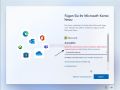 Windows 11 Home mit lokalem Konto installieren 001.jpg 1.026 × 767; 203 KB
-
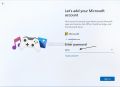 Windows 11 Home mit lokalem Konto installieren 002.jpg 918 × 668; 39 KB
-
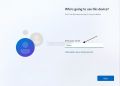 Windows 11 Home mit lokalem Konto installieren 003.jpg 922 × 658; 29 KB
-
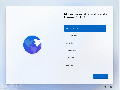 Windows 11 Home ohne MS Konto installieren.gif 1.026 × 767; 5,77 MB
-
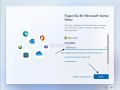 Windows 11 Home ohne MS Konto installieren 003 961.jpeg 1.026 × 767; 189 KB
-
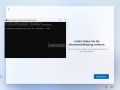 Windows 11 Home und Pro ohne Internet installieren 001.jpg 1.023 × 768; 138 KB
-
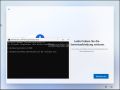 Windows 11 Home und Pro ohne Internet installieren 002.jpg 1.028 × 773; 176 KB
-
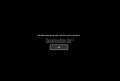 Windows 11 Home und Pro ohne Internet installieren 004.jpg 826 × 560; 24 KB
-
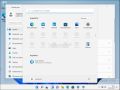 Windows 11 Home und Pro ohne Internet installieren 005.jpg 1.027 × 770; 199 KB
-
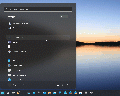 Windows 11 Icon in Taskleiste ziehen.gif 1.014 × 814; 455 KB
-
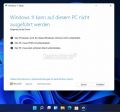 Windows 11 Inplace Upgrade Fehlermeldung inkompatibel Loesung.jpg 712 × 666; 46 KB
-
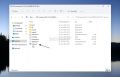 Windows 11 Inplace Upgrade Reparatur oder Feature Update 001.jpg 1.062 × 682; 66 KB
-
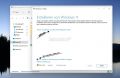 Windows 11 Inplace Upgrade Reparatur oder Feature Update 002.jpg 1.055 × 687; 74 KB
-
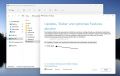 Windows 11 Inplace Upgrade Reparatur oder Feature Update 003.jpg 1.115 × 705; 94 KB
-
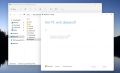 Windows 11 Inplace Upgrade Reparatur oder Feature Update 004.jpg 1.153 × 700; 60 KB
-
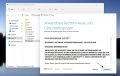 Windows 11 Inplace Upgrade Reparatur oder Feature Update 005.jpg 1.100 × 699; 110 KB
-
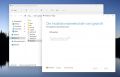 Windows 11 Inplace Upgrade Reparatur oder Feature Update 006.jpg 1.145 × 736; 66 KB
-
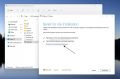 Windows 11 Inplace Upgrade Reparatur oder Feature Update 007.jpg 1.108 × 729; 77 KB
-
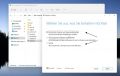 Windows 11 Inplace Upgrade Reparatur oder Feature Update 008.jpg 1.123 × 714; 80 KB
-
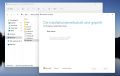 Windows 11 Inplace Upgrade Reparatur oder Feature Update 009.jpg 1.106 × 701; 60 KB
-
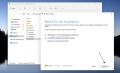 Windows 11 Inplace Upgrade Reparatur oder Feature Update 010.jpg 1.146 × 698; 76 KB
-
 Windows 11 Inplace Upgrade Reparatur oder Feature Update 011.jpg 1.490 × 839; 37 KB
-
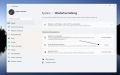 Windows 11 Inplace Upgrade Reparatur oder Feature Update 012.jpg 1.251 × 785; 83 KB
-
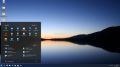 Windows 11 Inplace Upgrade Reparatur oder Feature Update 013.jpg 1.915 × 1.074; 120 KB
-
-
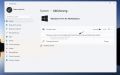 Windows 11 Key generische Seriennummer.jpg 1.234 × 768; 64 KB
-
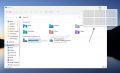 Windows 11 Maximieren Schaltflaeche Andock Layout deaktivieren 001.jpg 1.167 × 711; 71 KB
-
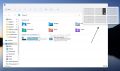 Windows 11 Maximieren Schaltflaeche Andock Layout deaktivieren 002.jpg 1.140 × 674; 71 KB
-
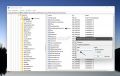 Windows 11 Maximieren Schaltflaeche Andock Layout deaktivieren 003.jpg 1.091 × 692; 133 KB
-
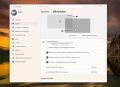 Windows 11 Monitor Hauptanzeige einstellen 001.jpg 1.258 × 913; 354 KB
-
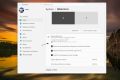 Windows 11 Monitor Hauptanzeige einstellen 002.jpg 1.379 × 924; 381 KB
-
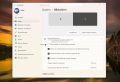 Windows 11 Monitor Hauptanzeige einstellen 003.jpg 1.308 × 897; 369 KB
-
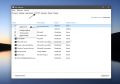 Windows 11 Problem finden durch Neustart ohne Programme 001.jpg 1.034 × 728; 247 KB
-
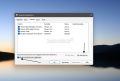 Windows 11 Problem finden durch Neustart ohne Programme 002.jpg 892 × 600; 185 KB
-
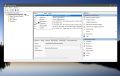 Windows 11 Problem finden durch Neustart ohne Programme 003.jpg 1.244 × 793; 387 KB
-
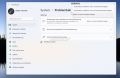 Windows 11 Problembehandlung in den Einstellungen 001.jpg 1.132 × 735; 71 KB
-
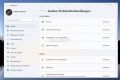 Windows 11 Problembehandlung in den Einstellungen 002.jpg 1.093 × 729; 72 KB
-
 Windows 11 Problembehandlung in den Einstellungen 003.jpg 1.101 × 737; 77 KB
-
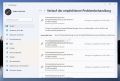 Windows 11 Problembehandlung in den Einstellungen 005.jpg 1.088 × 732; 98 KB
-
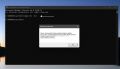 Windows 11 Retail oder OEM Key auslesen.jpg 1.037 × 597; 43 KB
-
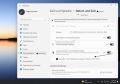 Windows 11 Sekunden in Taskleiste Einstellungen.jpg 1.189 × 831; 302 KB
-
 Windows 11 Sprachdatei ueber PowerShell installieren.jpg 1.107 × 673; 371 KB
-
 Windows 11 Standardbrowser einstellen.jpg 1.037 × 684; 194 KB
-
 Windows 11 Startmenue Bereich Empfohlen entfernen und mit Icons fuellen.jpg 1.357 × 886; 586 KB
-
 Windows 11 Startmenue Einstellungen und Tricks 001.jpg 1.159 × 987; 78 KB
-
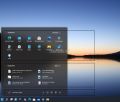 Windows 11 Startmenue Einstellungen und Tricks 002.jpg 1.159 × 987; 87 KB
-
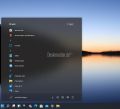 Windows 11 Startmenue Einstellungen und Tricks 003.jpg 951 × 862; 51 KB
-
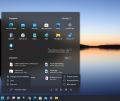 Windows 11 Startmenue Einstellungen und Tricks 005.jpg 979 × 821; 69 KB
-
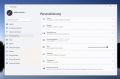 Windows 11 Startmenue Einstellungen und Tricks 006.jpg 1.229 × 809; 72 KB
-
 Windows 11 Startmenue Einstellungen und Tricks 007.jpg 1.018 × 814; 75 KB


No categories
Deskmodder.de unterstützen
Wir freuen uns, dass du hier bist! Wenn du uns unterstützen möchtest, gibt es dafür mehrere einfache Möglichkeiten:
🛍️ Shoppe bei Amazon über unseren Link und unterstütze uns indirekt.

💡 Deaktiviere den Adblocker bei uns dauerhaft oder zwischendurch mal.
☕️ Lade uns auf einen virtuellen Kaffee ein – ganz einfach via PayPal:
🏦 Oder unterstütze uns ganz klassisch mit einer Banküberweisung.
Jede Unterstützung fließt in die Webseite
und hält uns unabhängig. Danke! 🤍
Unsere Deskmodder.de News-App
Unsere App für Windows 10 und 11, Android und iOS bringt Dir die neuesten News direkt auf Deinen PC oder Dein Smartphone - komplett ohne Werbung! Und unter Android und iOS auch mit Deskmodder-Wiki an Bord!