Nicht kategorisierte Dateien
Aus Deskmodder Wiki
Unten werden bis zu 50 Ergebnisse im Bereich 5.001 bis 5.050 angezeigt.
-
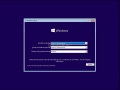 Windows-10-1703-15063-probleme-bei-der-installation-1.jpg 1.027 × 771; 75 KB
-
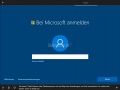 Windows-10-1703-15063-probleme-bei-der-installation.jpg 1.024 × 765; 65 KB
-
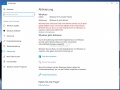 Windows-10-Neu-Aktivieren-001.jpg 1.118 × 840; 144 KB
-
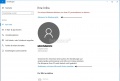 Windows-10-Neu-Aktivieren-002.jpg 1.100 × 741; 89 KB
-
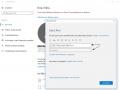 Windows-10-Neu-Aktivieren-003.jpg 1.096 × 818; 108 KB
-
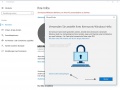 Windows-10-Neu-Aktivieren-004.jpg 1.093 × 820; 122 KB
-
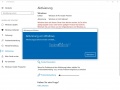 Windows-10-Neu-Aktivieren-005.jpg 1.094 × 819; 123 KB
-
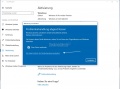 Windows-10-Neu-Aktivieren-006.jpg 1.100 × 819; 126 KB
-
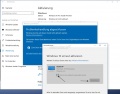 Windows-10-Neu-Aktivieren-007.jpg 1.099 × 863; 140 KB
-
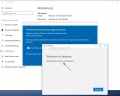 Windows-10-Neu-Aktivieren-008.jpg 1.094 × 874; 119 KB
-
 Windows-10-OEM-oder-Retail.jpg 977 × 513; 52 KB
-
-
Windows-10-Text-automatisch-vervollständigen-im-datei-explorer-1.jpg 482 × 517; 50 KB
-
Windows-10-Text-automatisch-vervollständigen-im-datei-explorer-2.jpg 1.048 × 427; 72 KB
-
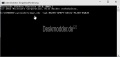 Windows-10-aktivieren-cmd.jpg 693 × 327; 22 KB
-
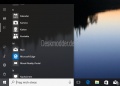 Windows-10-alle-apps-deinstallieren-1.jpg 638 × 459; 39 KB
-
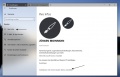 Windows-10-anderes-microsoft-konto.jpg 1.122 × 718; 99 KB
-
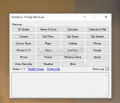 Windows-10-app-remover.jpg 508 × 434; 37 KB
-
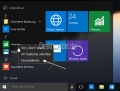 Windows-10-apps-deinstallieren-1-1.jpg 576 × 435; 38 KB
-
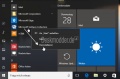 Windows-10-apps-deinstallieren-1.jpg 640 × 432; 38 KB
-
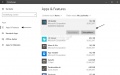 Windows-10-apps-deinstallieren-1703.jpg 988 × 616; 72 KB
-
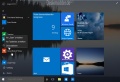 Windows-10-apps-deinstallieren-2.jpg 890 × 608; 66 KB
-
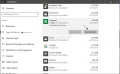 Windows-10-apps-deinstallieren-3.jpg 961 × 596; 69 KB
-
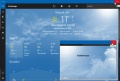 Windows-10-apps-vollstaendig-schliessen-1.jpg 1.087 × 730; 135 KB
-
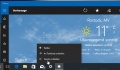 Windows-10-apps-vollstaendig-schliessen-2.jpg 690 × 405; 60 KB
-
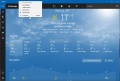 Windows-10-apps-vollstaendig-schliessen.jpg 1.088 × 731; 138 KB
-
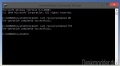 Windows-10-automatische-reparatur-deaktivieren-1.jpg 626 × 346; 29 KB
-
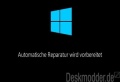 Windows-10-automatische-reparatur-deaktivieren.jpg 439 × 299; 10 KB
-
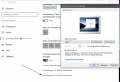 Windows-10-bilschirmschoner-einstellungen.jpg 964 × 657; 79 KB
-
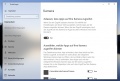 Windows-10-datenschutz-einstellungen-001.jpg 1.007 × 682; 117 KB
-
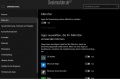 Windows-10-datenschutz-einstellungen-002.jpg 1.006 × 660; 65 KB
-
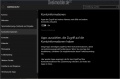 Windows-10-datenschutz-einstellungen-003.jpg 1.008 × 664; 78 KB
-
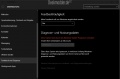 Windows-10-datenschutz-einstellungen-004.jpg 1.007 × 659; 63 KB
-
 Windows-10-datenschutz-einstellungen-005.jpg 1.005 × 660; 53 KB
-
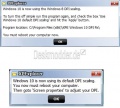 Windows-10-dpi-fix-1.jpg 451 × 406; 43 KB
-
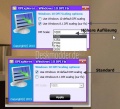 Windows-10-dpi-fix.jpg 486 × 442; 54 KB
-
 Windows-10-einstellungen-banner-popups-1703.jpg 1.121 × 684; 123 KB
-
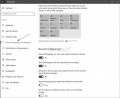 Windows-10-einstellungen-banner-popups.jpg 1.078 × 823; 96 KB
-
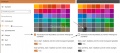 Windows-10-farben-anpassen-veraendern-1.jpg 1.222 × 537; 92 KB
-
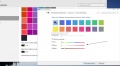 Windows-10-farben-anpassen-veraendern-2.jpg 1.322 × 724; 87 KB
-
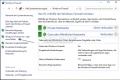 Windows-10-firewall-deaktivieren-1.jpg 712 × 477; 77 KB
-
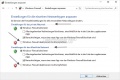 Windows-10-firewall-deaktivieren-2.jpg 711 × 473; 62 KB
-
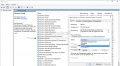 Windows-10-firewall-deaktivieren-3.jpg 1.109 × 611; 136 KB
-
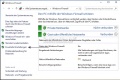 Windows-10-firewall-deaktivieren-4.jpg 712 × 477; 77 KB
-
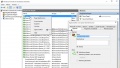 Windows-10-firewall-deaktivieren-5.jpg 1.051 × 599; 145 KB
-
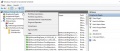 Windows-10-firewall-deaktivieren-6.jpg 936 × 400; 88 KB
-
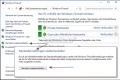 Windows-10-firewall-deaktivieren-7.jpg 712 × 477; 81 KB
-
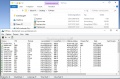 Windows-10-firewall-deaktivieren-8.jpg 909 × 596; 123 KB
-
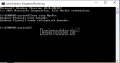 Windows-10-firewall-deaktivieren-9.jpg 591 × 309; 24 KB
-
 Windows-10-hintergrundfarbe-aendern.jpg 989 × 689; 75 KB


No categories
Deskmodder.de unterstützen
Wir freuen uns, dass du hier bist! Wenn du uns unterstützen möchtest, gibt es dafür mehrere einfache Möglichkeiten:
🛍️ Shoppe bei Amazon über unseren Link und unterstütze uns indirekt.

💡 Deaktiviere den Adblocker bei uns dauerhaft oder zwischendurch mal.
☕️ Lade uns auf einen virtuellen Kaffee ein – ganz einfach via PayPal:
🏦 Oder unterstütze uns ganz klassisch mit einer Banküberweisung.
Jede Unterstützung fließt in die Webseite
und hält uns unabhängig. Danke! 🤍
Unsere Deskmodder.de News-App
Unsere App für Windows 10 und 11, Android und iOS bringt Dir die neuesten News direkt auf Deinen PC oder Dein Smartphone - komplett ohne Werbung! Und unter Android und iOS auch mit Deskmodder-Wiki an Bord!