Nicht kategorisierte Dateien
Aus Deskmodder Wiki
Unten werden bis zu 50 Ergebnisse im Bereich 2.301 bis 2.350 angezeigt.
-
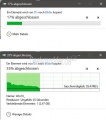 Immer-mehr-details-beim-kopieren-windows-10.jpg 448 × 506; 34 KB
-
-
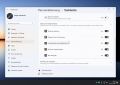 Immer alle Symbole in der Taskleiste Systray anzeigen Windows 11 002.jpg 1.169 × 824; 84 KB
-
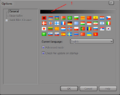 Inactive Caption.png 502 × 397; 44 KB
-
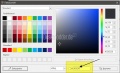 Inaktive Rahmenfarbe aendern Windows 10.jpg 719 × 438; 48 KB
-
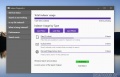 Indexer Diagnostics Windows 10 Suchindex App 001.jpg 875 × 565; 58 KB
-
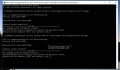 Indizierung-reparieren-windows-10.jpg 1.016 × 592; 92 KB
-
 Indizierung vollstaendig erweitert Windows 10.jpg 1.153 × 681; 74 KB
-
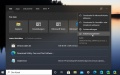 Indizierungsoptionen-oeffnen-windows-10.jpg 893 × 560; 55 KB
-
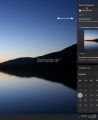 Info-Bereich Windows 11 mit Finger einblenden oder ausblenden.jpg 816 × 1.001; 52 KB
-
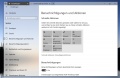 Info-Center-Button-anpassen-windows-10-0.jpg 1.095 × 716; 122 KB
-
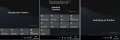 Info-Center-Button-anpassen-windows-10-1.jpg 1.083 × 363; 38 KB
-
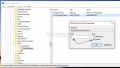 Info-Center-Button-anpassen-windows-10-2.jpg 879 × 501; 71 KB
-
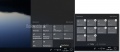 Info-Center Button entfernen hinzufuegen Windows 10.jpg 1.072 × 467; 46 KB
-
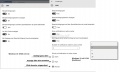 Info-center-benachrichtigungen-einstellen-sortieren-windows-10.jpg 1.233 × 738; 86 KB
-
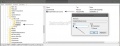 Info-center-deaktivieren-entfernen-windows-10-1.jpg 1.089 × 419; 66 KB
-
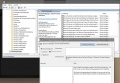 Info-center-deaktivieren-entfernen-windows-10-2.jpg 1.104 × 768; 167 KB
-
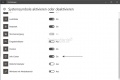 Info-center-deaktivieren-entfernen-windows-10-3.jpg 964 × 642; 45 KB
-
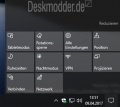 Info-center-deaktivieren-entfernen-windows-10.jpg 370 × 329; 22 KB
-
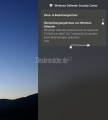 Info-center-reparieren-windows-10.jpg 599 × 665; 56 KB
-
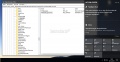 Info-center.nur-manuell-schliessen-windows-10.jpg 1.200 × 616; 103 KB
-
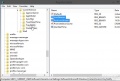 Infobereich-alte-icons-loeschen-neu-einlesen-windows-10-regedit.jpg 708 × 477; 58 KB
-
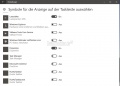 Infobereich-alte-icons-loeschen-neu-einlesen-windows-10.jpg 912 × 654; 54 KB
-
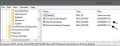 Infobereich-einstellung-wird-nicht-gespeichert.jpg 685 × 264; 42 KB
-
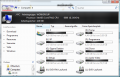 Infoleiste oben.png 680 × 434; 102 KB
-
 Infopopupji8.png.jpg 226 × 90; 6 KB
-
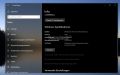 Informationen-zu-windows-10.jpg 1.052 × 660; 59 KB
-
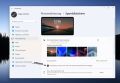 Infos auf Sperrbildschirm nicht anzeigen Windows 11.jpg 1.235 × 853; 326 KB
-
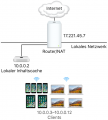 Inhaltscache Apple macOS.png 681 × 754; 106 KB
-
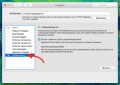 Inhaltscaching macOS.jpg 1.580 × 1.116; 179 KB
-
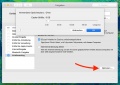 Inhaltscaching macOS 2.jpg 1.580 × 1.116; 153 KB
-
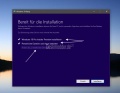 Inplace-upgrade-windows-10-reparieren-ohne-verlust-003.jpg 862 × 668; 72 KB
-
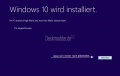 Inplace-upgrade-windows-10-reparieren-ohne-verlust-004.jpg 818 × 516; 41 KB
-
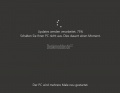 Inplace-upgrade-windows-10-reparieren-ohne-verlust-005.jpg 910 × 703; 38 KB
-
 Inplace-upgrade-windows-10-reparieren-ohne-verlust-006.jpg 1.912 × 983; 188 KB
-
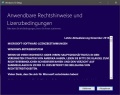 Inplace-upgrade-windows-10-reparieren-ohne-verlust-1-1.jpg 703 × 555; 106 KB
-
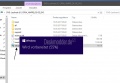 Inplace-upgrade-windows-10-reparieren-ohne-verlust-1.jpg 751 × 518; 60 KB
-
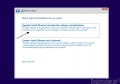 Inplace-upgrade-windows-10-reparieren-ohne-verlust-10.jpg 812 × 567; 64 KB
-
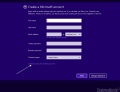 Inplace-upgrade-windows-10-reparieren-ohne-verlust-11.jpg 1.041 × 800; 73 KB
-
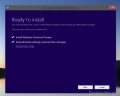 Inplace-upgrade-windows-10-reparieren-ohne-verlust-5.jpg 760 × 606; 54 KB
-
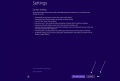 Inplace-upgrade-windows-10-reparieren-ohne-verlust-8.jpg 1.522 × 1.024; 118 KB
-
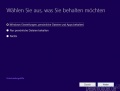 Inplace-upgrade-windows-10-reparieren-ohne-verlust-9.jpg 691 × 523; 42 KB
-
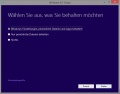 Inplace-upgrade-windows-8.1-1.jpg 716 × 563; 52 KB
-
 Inplace-upgrade-windows-8.1-2.jpg 690 × 324; 28 KB
-
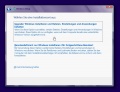 Inplace upgrade windows 8 0.jpg 705 × 543; 65 KB
-
 Insider-mit-lokalem-account-installieren.jpg 897 × 451; 92 KB
-
 Insider-ohne-microsoft-account-installieren.jpg 800 × 449; 30 KB
-
 Insider Ringe Windows 10.jpg 2.153 × 724; 125 KB
-
 Inst End.png 200 × 200; 9 KB
-
 Inst Final.png 200 × 200; 7 KB


No categories
Deskmodder.de unterstützen
Wir freuen uns, dass du hier bist! Wenn du uns unterstützen möchtest, gibt es dafür mehrere einfache Möglichkeiten:
🛍️ Shoppe bei Amazon über unseren Link und unterstütze uns indirekt.

💡 Deaktiviere den Adblocker bei uns dauerhaft oder zwischendurch mal.
☕️ Lade uns auf einen virtuellen Kaffee ein – ganz einfach via PayPal:
🏦 Oder unterstütze uns ganz klassisch mit einer Banküberweisung.
Jede Unterstützung fließt in die Webseite
und hält uns unabhängig. Danke! 🤍
Unsere Deskmodder.de News-App
Unsere App für Windows 10 und 11, Android und iOS bringt Dir die neuesten News direkt auf Deinen PC oder Dein Smartphone - komplett ohne Werbung! Und unter Android und iOS auch mit Deskmodder-Wiki an Bord!